.png)
.png)
.png)
What to Check Before Launching a Trade Website Redesign

By Blackbird Marketing
Before launching a redesigned trade website, check the pages, URLs, contact routes and tracking that already support the business. A new design can look better while losing search visibility, breaking a form or making it harder for customers to call.
In short: approve the redesign only when valuable old pages have a sensible destination, the new site works on mobile, enquiries are tested and the business knows who controls the website after launch.
What should be protected from the old website?
Start by recording what already works before changing the structure. The new site does not need to copy every old page, but each useful page should have a deliberate decision behind it.
Record:
Pages that receive organic visits or generate enquiries
Important service pages and customer information
Existing URLs that other websites link to
Phone numbers, email addresses and contact forms
Genuine service areas shown on the current site
Useful title tags, headings and explanatory content
Some pages may be duplicated, inaccurate or no longer relevant. That is different from deleting pages without checking their purpose. Keep a simple comparison showing the old URL, proposed new URL and the action for each page.
Which old URLs need redirects?
If an old URL has a closely related replacement, use a permanent redirect to that page. A service page should not automatically be sent to the homepage if a more relevant service page exists.
For pages with no suitable replacement, decide whether they should be retained, redirected elsewhere or removed with the correct technical response. Keep the old URL list after launch so unexpected visits or missing pages can be investigated.
Does the new structure make the business easy to choose?
A trade customer usually needs quick answers to three questions: does the business provide the work, does it cover the relevant area and how can the customer make contact? The navigation and page structure should answer these without unnecessary clicking.
Review the site as someone with an urgent or expensive property problem. Core services should be clearly named rather than hidden under vague labels such as “solutions” or “what we do”. Each important service should have enough information to explain what it involves, who it is for and what the visitor should do next.
Check every important service page
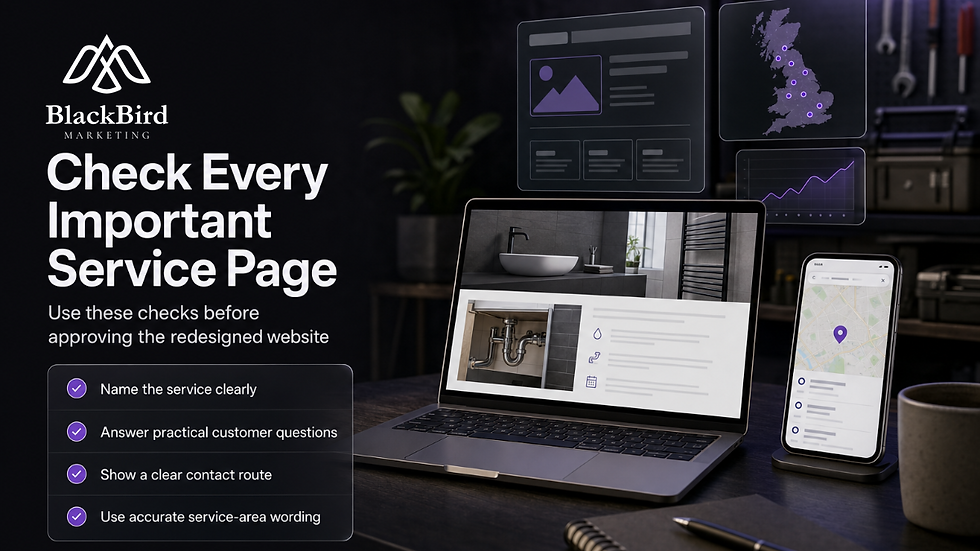
Use a clear page title and main heading
Describe the actual service rather than making broad promises
Answer practical questions a potential customer is likely to have
Show a clear phone, form or other contact route
Link to related services only where it helps the reader
Use accurate service-area wording
Do not add large numbers of near-identical location pages simply to include place names. If the business does not genuinely work in an area, the website should not present it as a service location.
Have the SEO and technical launch checks been completed?
The main SEO risk in a redesign is often not the new copy or visual design. It is losing access to existing pages, leaving technical restrictions in place or giving search engines mixed signals about which version of the site should be indexed.
Check redirects, indexing and internal links
Old important URLs redirect to the closest relevant new page
There are no unnecessary redirect chains
Internal links do not point to missing or outdated URLs
Canonical tags refer to the correct live URLs
Temporary no-index settings have been removed from the live site
Staging or test-domain addresses are absent from links, metadata and structured data
HTTP and HTTPS versions are handled consistently
Check the XML sitemap, robots.txt and indexable pages before and immediately after launch. A technically successful deployment does not prove that the right pages can be crawled or indexed.
Is the content still accurate and useful?
Read the new pages as a customer rather than as the person who built them. Can the visitor tell what work is offered, whether it applies to their property or problem, what information they need to provide and how to ask for help?
Check phone numbers, email addresses, opening information, services, service areas, job descriptions, company details and testimonials. Remove claims that cannot be supported, and keep useful explanations that help customers understand a process or limitation. Shorter copy is not automatically better.
Can customers contact the business easily on mobile?
Test the main enquiry routes on real phones, not only on a desktop preview. A contact form that appears to work can still send notifications to an old inbox, omit the visitor's message or fail when required fields are completed incorrectly.
Test:
Contact forms using realistic information
Required fields and error messages
Telephone links and email links
Confirmation messages or pages
Quote, booking or callback features
Spam controls without blocking genuine enquiries
The inbox or system where each enquiry arrives
Also check whether the phone number is easy to find, buttons are comfortable to tap and the form works with a mobile keyboard. Cookie notices, pop-ups and sticky elements should not cover the main contact route.
Has mobile performance been checked?
Large images, unnecessary scripts and third-party tools can make a redesigned site slow even when the layout looks polished. Ask what has been done to control image sizes, loading order and external tools, then test the important pages on more than one real device.

Will measurement show whether the launch worked?
Connect analytics and search monitoring to the correct live domain before launch. Decide which actions count as a useful enquiry, then test those actions rather than assuming that tracking has been installed correctly.
Check that:
Analytics is installed once rather than duplicated
Search Console or equivalent monitoring uses the correct property
Form submissions and phone-link clicks can be measured
The XML sitemap contains the intended indexable URLs
Cookie consent settings behave as expected
Conversion tracking records a test enquiry correctly
Do not judge the redesign from one day's traffic. Compare it with the previous baseline and watch for missing pages, technical errors, changes in enquiry quality and any drop in important actions.
If paid advertising will support the launch, confirm tracking before spending begins. This guide to planning a PPC test for a trades business is relevant when deciding how the new site will receive and measure paid enquiries.
Are local details and business information consistent?
For many trade businesses, the website works alongside a Google Business Profile and other business listings. Check that the business name, phone number, website address and service information do not conflict across those channels.
If the website address changes, update relevant listings after confirming that the new destination is live. Location wording should reflect where the business genuinely operates; a clear, limited service area is more useful than a long unsupported list of places.
Who owns the website and handles problems after launch?
Confirm access before the site goes live. The business should know who controls the domain, hosting, content management system, analytics, search tools, form delivery and any paid plugins or subscriptions.

Ask for a written record of:
Domain registrar and renewal responsibility
Hosting account and backup arrangements
Website administrator access
Analytics and search-monitoring access
Form delivery and email settings
Third-party tools, licences and renewal dates
Also agree who will update service pages, check forms and deal with technical issues. These are sensible handover questions for any web partner; they should not be assumed to be included unless confirmed.
When should SEO and web support be involved?
Bring SEO into the project before the build is finished if the redesign changes the page structure, services, URLs or domain. It is easier to decide what to retain and improve before launch than to repair lost visibility afterwards.
Blackbird Marketing describes its website work as a review, plan, build and launch/improve process, alongside local and technical SEO. That joined-up approach is relevant when a trade business needs the design, customer journey and search foundations considered together rather than treating SEO as a final wording exercise.
Blackbird's published website feedback also includes businesses describing clear communication and a more professional online presence that made it easier for customers to find and trust them. That is published client feedback, not a guarantee of a particular result, but it highlights why the review should cover customer confidence as well as technical checks.
For a review of the redesign, structure and launch risks, you can discuss business website design and development with Blackbird Marketing. The appropriate scope will depend on the current website, the planned changes and which pages or enquiry routes matter most.
What should happen immediately after launch?
Launch when someone can check the live site soon afterwards. Visit the homepage, key service pages and contact routes, test redirects, inspect robots.txt and the sitemap, and check the mobile layout.
Keep a short list of findings with their priority and owner. A blocked site, missing service page or broken enquiry form needs urgent attention; copy refinements and layout improvements can be handled separately.
Ready to check the redesign before launch? A practical website review can identify missing pages, broken enquiry routes and SEO risks before they affect customers. Discuss your business website project with Blackbird Marketing.


